Polaroid
Transform your digital photos into vintage Polaroid-style instant prints. Add authentic film borders and nostalgic color tones.
About this tool
Instant film look, frame included
The Polaroid effect generator turns a digital photo into a vintage instant print. The AI adds the classic white frame, thicker at the bottom, and prints your picture inside it with the faded contrast, warm color cast and soft vignette of 1970s and 80s film. The output is a square image of the complete polaroid, slightly worn, as if it had been pulled from a shoebox.
There are no settings to configure. Upload the photo, click Create Polaroid, and the image model handles the frame, grain, color shift and edge wear in one pass. The result sits next to the original in a before-and-after slider so you can decide whether to download it, save it to your gallery or try another photo.
Example
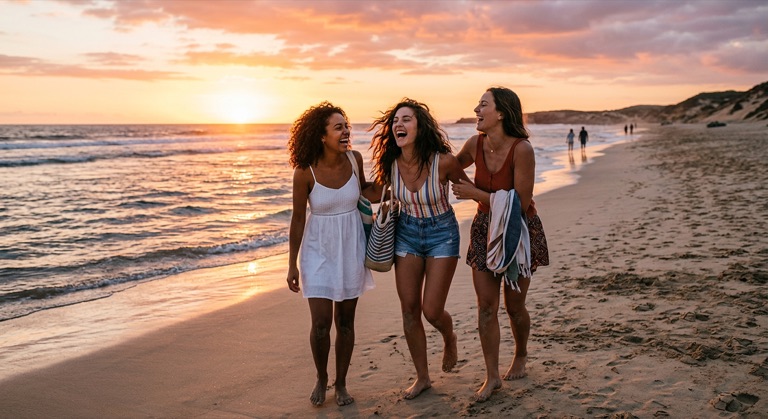
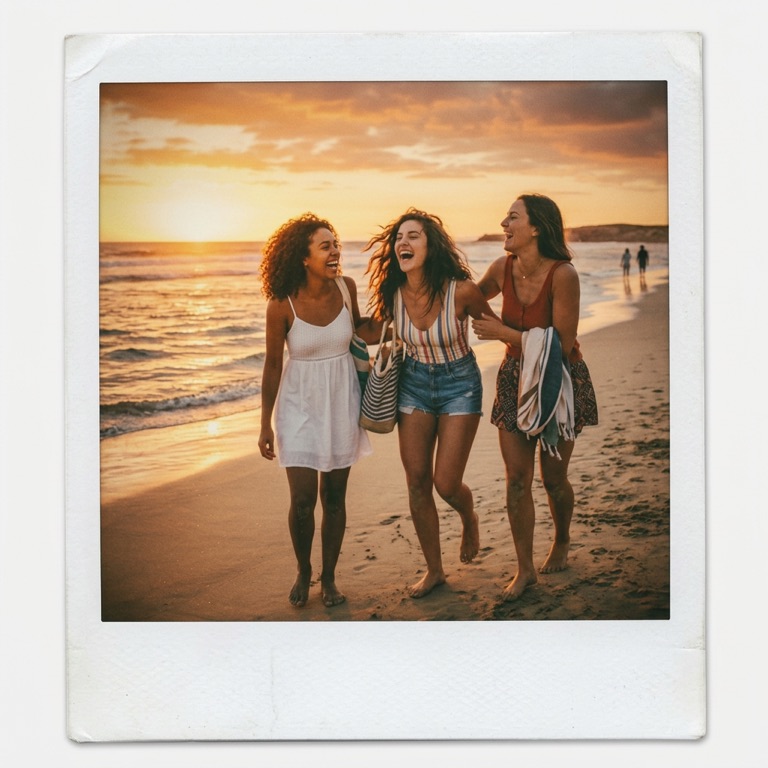
The before photo is AI-generated, standing in for an upload. The result is unedited tool output, November 2026.
Use it for
- Scrapbooks and collages: Make matching instant-photo tiles for a digital or printed album.
- Retro social posts: Give a modern snapshot a nostalgic film effect for a throwback post.
- Event keepsakes: Turn party or wedding photos into polaroid-style cards for guests.
How it works
- Upload a PNG, JPG or WebP up to 25MB.
- Click Create Polaroid.
- Review the framed result with the comparison slider.
- Download the PNG, then share or print it.
1 credit per run. Credits never expire.
Questions
What does the Polaroid effect cost?
One credit per photo. Credits are deducted after a successful run and never expire.
Can I choose the frame color or write a caption?
Not in this tool. It always produces a white frame. Add a caption afterwards in Studio or the Meme Generator.
What shape is the output?
The result is square and shows the whole frame, so it fits Instagram and most print services.
What files can I upload?
PNG, JPG and WebP up to 25MB.