Text to Image
Generate stunning images from text descriptions using AI. Create art, illustrations, and photos from your imagination. Free to try with signup credits.
About this tool
Describe it and get a picture
The AI image generator creates a new picture from a text prompt. Describe the subject, setting, lighting and mood, choose a style and format, and the image model produces an image in seconds. There is nothing to upload. It covers concept art, product ideas, blog illustrations, placeholder photography and anything else you can put into words.
Seven style presets shape the output: Photorealistic, Digital Art, Oil Painting, Watercolor, Anime, Fantasy and Minimal. Five formats are available: Square 1:1, Landscape 16:9, Portrait 9:16, Classic 4:3 and Photo 3:2. Prompts are limited to 1,000 characters and run through basic content checks before generation. The finished image appears on the page as a PNG you can download or save.
Example
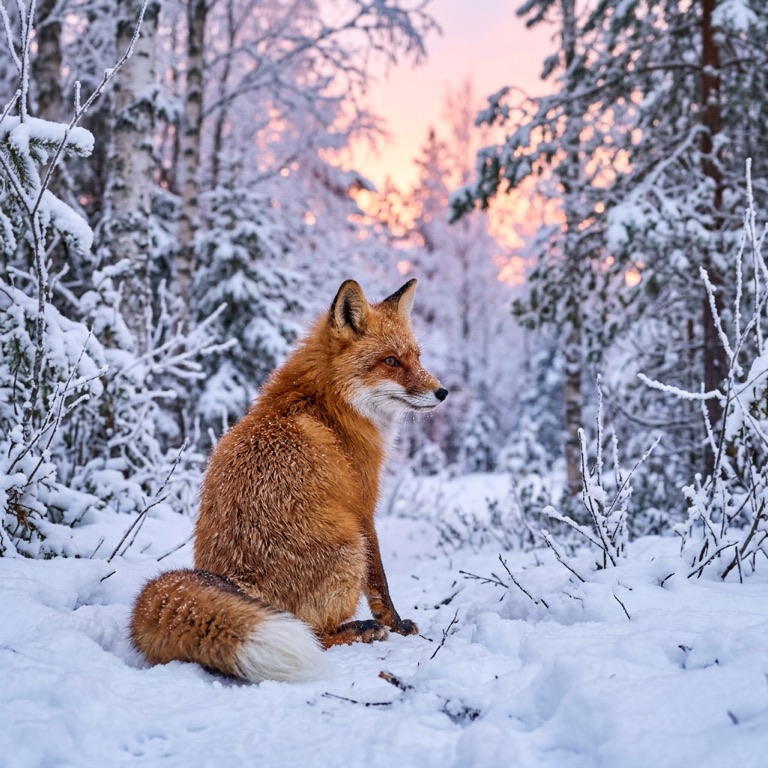
Prompt: a red fox sitting in a snowy forest at dawn · Photorealistic. The result is unedited tool output, November 2026.
Use it for
- Illustrations for content: Generate a hero image for a blog post or newsletter instead of searching stock sites.
- Concept exploration: Sketch characters, rooms or products in several styles before committing to a design.
- Social graphics: Create a 9:16 vertical image for a Story or a 16:9 cover for a video.
How it works
- Write a prompt of up to 1,000 characters describing what you want.
- Pick a style preset and an aspect ratio.
- Click Generate Image or press Ctrl+Enter.
- Download the PNG or save it to your gallery.
3 credits per run. Credits never expire.
Questions
How much does generating an image cost?
Three credits per image. Credits are deducted after a successful generation and never expire.
Is there a rate limit?
Yes. Each account can start up to ten generations per minute.
How do I write a better prompt?
Lead with the subject, then add setting, lighting, camera or medium, and mood. Specific nouns beat adjectives like 'beautiful'.
Can I edit the generated image?
Yes. Save it, then open it in AI Replace, AI Expand, Upscale or any other tool.