Old Photo Restore · 3 credits
Repair scratches, tears and stains on old photos
Repair scratches, tears, creases, stains and water spots on old photos with AI, keeping their vintage character. Scan, tick the damage, restore.
Decades in albums and shoeboxes leave marks: scratches across faces, fold lines from a wallet, coffee rings, water spots, faded contrast. Old Photo Restore repairs that damage while keeping the photo looking like a vintage photograph instead of a modern digital image.
Tick the problems you see (scratches and tears, faded colors, stains and spots, fold lines and creases, or enhance and sharpen) or leave everything unticked for a complete restoration. The result appears in a before-and-after slider.
Example
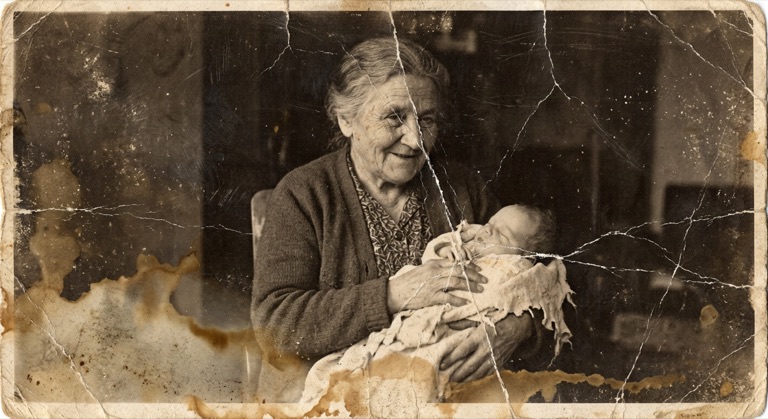
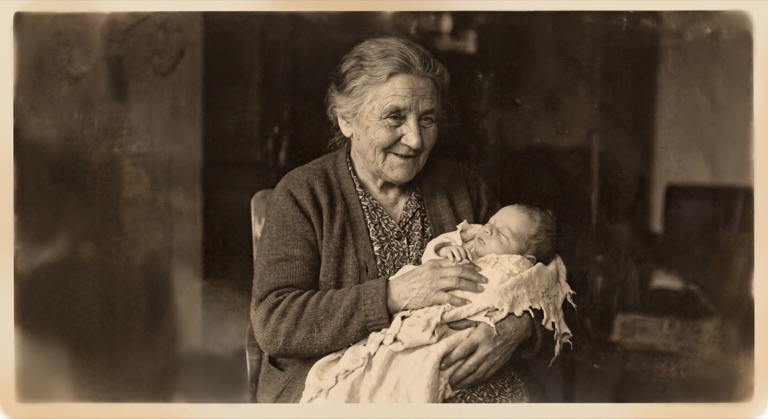
Complete restoration. The before photo is AI-generated, standing in for an upload. The result is unedited tool output, November 2026.
How to do it
- Scan the print flat at 300 dpi or more, or photograph it in even light without glare.
- Upload the scan to Old Photo Restore (up to 10MB).
- Tick the types of damage, or leave them all unticked for a full restoration.
- Download the result, then Colorize it if you want color.
Tips
- Don't try to flatten a curled or stuck photo by force; scan it as it is.
- Heavily damaged faces are reconstructed, so compare them with other photos of the person.
- Keep the original scan too; restoration is an interpretation.
3 credits per run. New accounts get 10 free credits; after that, credit packs start at $5 and never expire.
Questions
Can it fix water damage?
Yes. Tick 'remove stains and spots' for water marks. Areas where the image has completely washed away are reconstructed from context.
Does it add color?
No. Run Colorize on the restored photo for color.
What does it cost?
Three credits per photo. New accounts get 10 free credits.