Aspect Ratio · 2 credits
Resize photos for Instagram without cropping
Fit any photo to Instagram's 4:5 feed, 9:16 Stories and Reels or 1:1 square without cropping. AI extends the background instead. 2 credits.
Instagram's feed favors 4:5 portraits, and Stories and Reels are 9:16. Squeezing a landscape photo into those shapes usually means cropping off someone's feet or the edge of the view. The Aspect Ratio tool reshapes the photo by extending the scene with AI instead, so the whole original stays in frame.
Choose Instagram 4:5, Vertical 9:16 or Square 1:1. The AI generates new background on the sides or top and bottom, matching lighting, color and texture.
Example
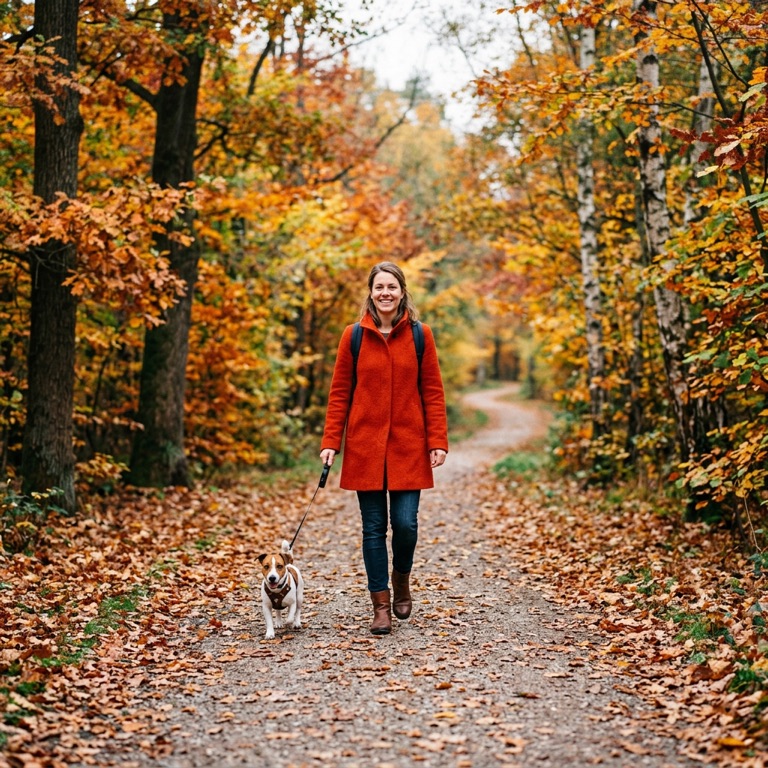
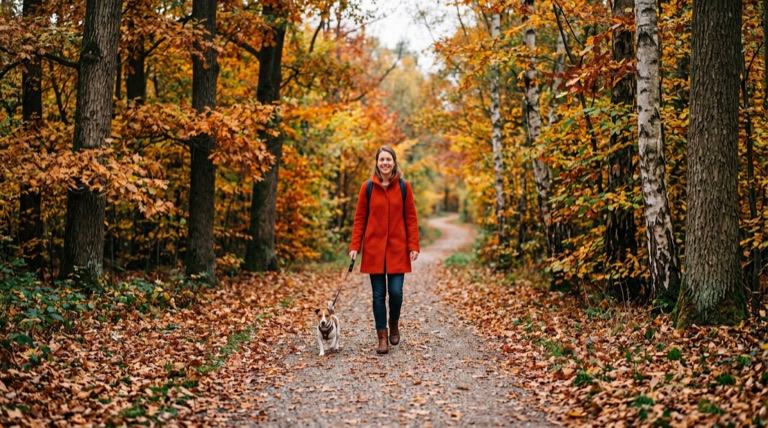
Widescreen 16:9. The before photo is AI-generated, standing in for an upload. The result is unedited tool output, November 2026.
How to do it
- Upload the photo to Aspect Ratio (up to 25MB).
- Choose Instagram 4:5 for the feed, Vertical 9:16 for Stories and Reels, or Square 1:1.
- Check the new edges in the before-and-after slider.
- Download it and post.
Tips
- Busy scenes (crowds, text) are harder to extend than sky, water or walls.
- Going from landscape to 9:16 adds a lot of new content; 4:5 is a gentler change.
- For more control over which side grows, use AI Expand.
2 credits per run. New accounts get 10 free credits; after that, credit packs start at $5 and never expire.
Questions
Does it crop my photo?
No. It keeps all of the original and adds AI-generated content to reach the new ratio.
Which ratios are available?
1:1, 16:9, 9:16, 4:3, 3:4, 21:9 and 4:5.
What does it cost?
Two credits per image. New accounts get 10 free credits.